
Understanding curl noproxy: Complete Configuration Guide
When working with command-line HTTP requests, understanding how to selectively bypass proxy servers becomes essential for developers, system administrators, and data professionals. The curl noproxy functionality allows you to specify which hosts should connect directly while maintaining proxy connections for everything else. This granular control proves invaluable when dealing with internal networks, localhost services, or specific domains that require direct access. Whether you're managing web scraping operations, configuring API connections, or setting up development environments, mastering these settings will streamline your workflow and prevent connectivity issues that plague many production systems.
What Is curl noproxy and Why It Matters
The curl noproxy setting functions as an exclusion list that tells curl which destinations should bypass your configured proxy server. When you set up a proxy for curl, every request typically routes through that intermediary server. However, certain scenarios demand direct connections. Local services running on 127.0.0.1, internal company resources on private networks, or specific third-party APIs might require direct access for performance, security, or authentication reasons.
This feature becomes particularly relevant in 2026 as organizations increasingly adopt hybrid cloud architectures. Your application might need to reach internal services directly while routing external traffic through proxy servers for security monitoring and access control. The libcurl CURLOPT_NOPROXY option provides programmatic control over these exceptions, while command-line flags offer quick configuration for immediate needs.
Business Use Cases for Selective Proxy Bypass
Organizations implementing proxy infrastructure face several common scenarios where curl noproxy configurations become necessary:
- Development environments where localhost and staging servers need direct access
- Microservices architectures requiring internal service-to-service communication without proxy overhead
- API integrations where specific endpoints mandate direct connections for OAuth flows
- Performance optimization for high-throughput data operations where proxy latency impacts results
- Compliance requirements where certain data must not traverse external proxy infrastructure

Configuring curl noproxy Through Command-Line Options
The most straightforward method to implement curl noproxy involves using the --noproxy flag directly in your curl commands. This approach provides immediate control without modifying system-wide settings or environment variables. The syntax accepts a comma-separated list of hostnames, domains, or IP addresses that should bypass the proxy.
curl --proxy http://proxy.example.com:8080 --noproxy localhost,127.0.0.1,.internal.company.com https://api.example.com
This command routes the request through the specified proxy except when targeting localhost, the loopback address, or any subdomain of internal.company.com. The flexibility extends to wildcard patterns and subnet specifications, making it adaptable to complex network topologies.
Pattern Matching and Wildcard Support
Understanding pattern matching rules ensures your curl noproxy configurations work as intended. The system supports several pattern types that accommodate different networking scenarios:
| Pattern Type | Example | Matches |
|---|---|---|
| Exact hostname | example.com | Only example.com |
| Leading dot domain | .example.com | All subdomains of example.com |
| IP address | 192.168.1.100 | Specific IP only |
| IP range | 192.168.1.0/24 | Entire subnet |
| Asterisk wildcard | * | All destinations |
When working with web scraping infrastructure or configuring Apache HTTP server proxy setups, proper pattern matching prevents unintended routing. A common mistake involves forgetting the leading dot for domain matching, which results in only the exact domain bypassing the proxy while subdomains continue routing through it.
Environment Variable Configuration for Persistent Settings
For operations requiring consistent curl noproxy behavior across multiple sessions, environment variables provide a more maintainable solution than repeating command-line flags. The NO_PROXY or no_proxy variable establishes system-wide or user-wide proxy bypass rules that curl automatically respects.
Setting these variables depends on your operating system and shell:
For Linux and macOS (bash/zsh):
export NO_PROXY="localhost,127.0.0.1,.local,.internal"
For Windows (PowerShell):
$env:NO_PROXY="localhost,127.0.0.1,.local,.internal"
The curl proxy environment variables documentation explains how curl processes these settings alongside HTTP_PROXY and HTTPS_PROXY variables. This hierarchical approach enables sophisticated proxy configurations that adapt to different networking contexts without code changes.
Case Sensitivity and Variable Priority
A subtle but important consideration: curl recognizes both uppercase and lowercase versions of proxy environment variables. When both exist, curl prioritizes the lowercase variants. This behavior matters when troubleshooting why curl noproxy settings seem ineffective.
The priority order looks like this:
- Command-line
--noproxyflag (highest priority) no_proxyenvironment variableNO_PROXYenvironment variable- Default behavior (lowest priority)

Advanced curl noproxy Configurations for Complex Networks
Enterprise environments often require sophisticated curl noproxy configurations that account for multiple network segments, VPN connections, and security zones. Managing these complexities demands understanding how different bypass patterns interact and combine.
Consider a typical enterprise scenario: developers need localhost access, internal service mesh communication requires bypassing corporate proxies, and specific cloud provider APIs mandate direct connections for latency-sensitive operations. A comprehensive noproxy configuration might include:
- Local development:
localhost,127.0.0.1,::1 - Internal networks:
.internal,.local,10.0.0.0/8,172.16.0.0/12,192.168.0.0/16 - Cloud services:
metadata.google.internal,.amazonaws.com - Performance-critical APIs:
api.criticalservice.com
This approach becomes especially relevant when making curl ignore proxy settings for specific operational requirements while maintaining security posture for general internet access.
IPv6 Considerations in curl noproxy
As IPv6 adoption accelerates in 2026, ensuring your curl noproxy configurations handle both IPv4 and IPv6 addresses properly becomes critical. The syntax for IPv6 addresses in noproxy lists follows standard notation without requiring special escaping in most cases.
IPv6 noproxy examples:
| Address Type | Configuration | Purpose |
|---|---|---|
| Loopback | ::1 | Local IPv6 services |
| Link-local | fe80::/10 | Local network segment |
| Unique local | fc00::/7 | Private IPv6 addresses |
| Specific host | 2001:db8::1 | Individual IPv6 server |
Organizations using PinguProxy services benefit from complete IPv4 and IPv6 protocol support, ensuring your curl noproxy configurations work seamlessly regardless of the underlying network protocol your applications utilize.
Common curl noproxy Troubleshooting Scenarios
Even with proper configuration, curl noproxy issues emerge that require systematic debugging. Understanding common failure modes helps resolve connectivity problems quickly.
Problem: Bypass Rules Not Taking Effect
When your curl noproxy settings appear ignored, verify these potential causes:
- Variable spelling errors: Check for typos in NO_PROXY or incorrect flag syntax
- Pattern matching mistakes: Ensure domain patterns include leading dots for subdomain matching
- Protocol conflicts: Verify HTTPS_PROXY versus HTTP_PROXY settings aren't overriding your noproxy rules
- Application-level overrides: Some wrapper scripts or applications may set their own proxy variables
The Ubuntu CURLOPT_NOPROXY documentation provides detailed parameter descriptions that help identify configuration syntax errors causing bypass failures.
Problem: Performance Degradation with Proxy Bypass
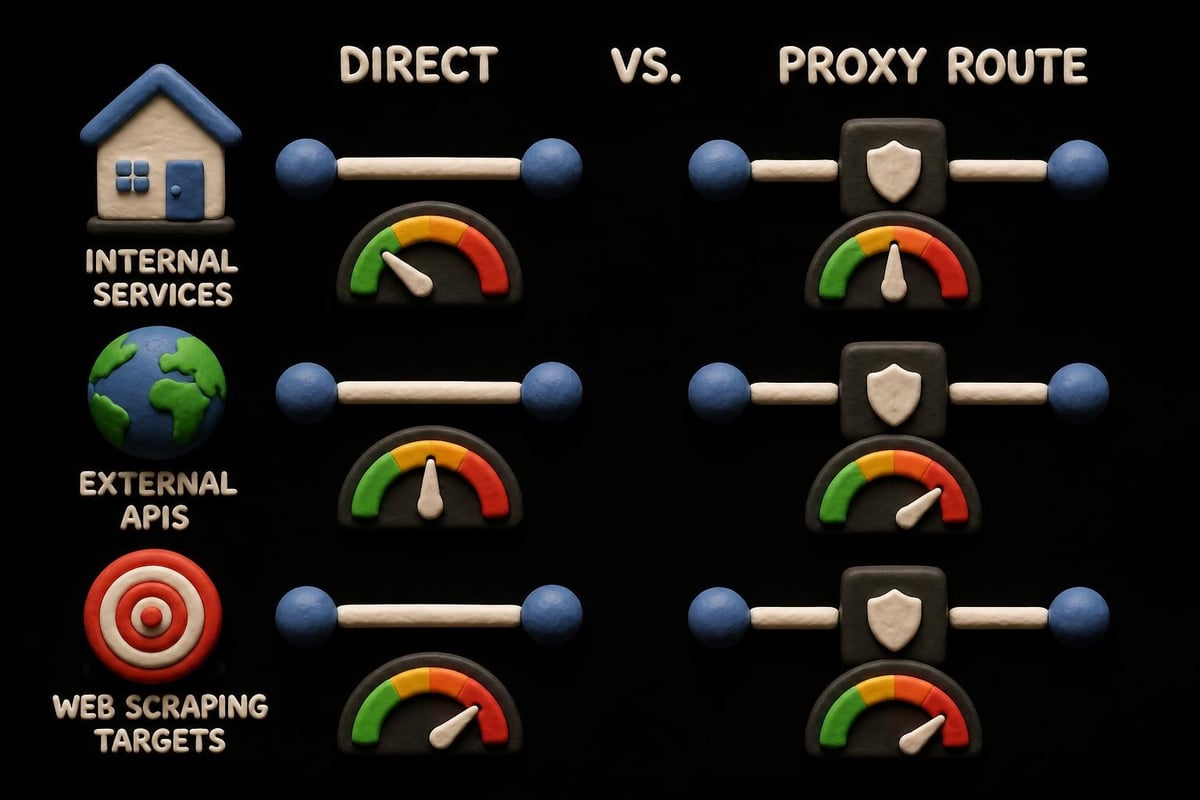
Ironically, incorrectly configured curl noproxy settings can sometimes worsen performance rather than improve it. This occurs when DNS resolution for bypassed hosts takes longer than the proxy would have cached, or when firewall rules inspect direct connections more strictly than proxied traffic.
Performance optimization checklist:
- Limit bypass lists to truly necessary hosts rather than overly broad patterns
- Monitor connection timing with curl's
--write-outoption to measure actual performance impact - Consider DNS caching strategies for frequently accessed bypass destinations
- Test both proxied and direct routes to verify assumptions about performance gains
Programmatic curl noproxy Implementation
When building applications that utilize curl libraries, implementing noproxy functionality requires understanding the programmatic interfaces available across different programming languages and curl bindings.
PHP curl Implementation
PHP applications commonly integrate proxy functionality for web scraping and API consumption. Setting noproxy options in PHP looks like this:
$ch = curl_init();
curl_setopt($ch, CURLOPT_PROXY, 'http://proxy.example.com:8080');
curl_setopt($ch, CURLOPT_NOPROXY, 'localhost,127.0.0.1,.internal');
curl_setopt($ch, CURLOPT_URL, 'https://api.example.com/data');
This programmatic approach enables dynamic bypass list generation based on runtime conditions, environment detection, or configuration management systems.
Python Requests Library
While not curl directly, Python's requests library respects NO_PROXY environment variables, making it behave consistently with curl noproxy expectations:
import os
os.environ['NO_PROXY'] = 'localhost,127.0.0.1,.internal'
proxies = {'http': 'http://proxy.example.com:8080'}
response = requests.get('https://api.example.com', proxies=proxies)
The differences between noproxy and no-proxy become particularly relevant when working across multiple programming environments and ensuring consistent behavior.
Security Implications of curl noproxy Configurations
Bypass lists carry security considerations that require careful evaluation. Each host added to your curl noproxy configuration creates a direct connection path that circumvents any security inspection, authentication, or logging your proxy infrastructure provides.
Security best practices include:
- Minimize bypass scope: Only exclude hosts that genuinely require direct access
- Document bypass reasons: Maintain records explaining why specific hosts bypass proxies
- Regular audits: Periodically review noproxy lists to remove outdated entries
- Monitor direct connections: Implement logging for traffic bypassing proxy infrastructure
- Validate internal hosts: Ensure bypassed internal hosts maintain their own security controls
Organizations managing sensitive data operations should consider whether their curl noproxy configurations inadvertently create security gaps. The comprehensive curl proxy guide discusses security tradeoffs when configuring selective proxy bypass for different use cases.
Configuration Management and Automation
In modern DevOps environments, managing curl noproxy settings across multiple servers, containers, and deployment environments demands automated configuration management. Manual configuration doesn't scale and introduces consistency risks.
Docker and Container Environments
Container deployments present unique challenges for curl noproxy configuration since each container operates with its own environment. Strategies include:
Dockerfile environment variables:
ENV NO_PROXY="localhost,127.0.0.1,.local"
ENV no_proxy="localhost,127.0.0.1,.local"
Docker Compose configurations:
environment:
  - NO_PROXY=localhost,127.0.0.1,.local
  - HTTP_PROXY=http://proxy.example.com:8080
Kubernetes ConfigMaps:
apiVersion: v1
kind: ConfigMap
metadata:
  name: proxy-config
data:
  NO_PROXY: "localhost,127.0.0.1,.svc,.local"
These approaches ensure consistent curl noproxy behavior across your container infrastructure while maintaining flexibility for environment-specific requirements.
Configuration Files and curl Options
For persistent, user-specific configurations, curl supports a .curlrc file in the user's home directory. This file can include default proxy and noproxy settings that apply to all curl invocations:
proxy = "http://proxy.example.com:8080"
noproxy = "localhost,127.0.0.1,.internal,.local"
The curl no proxy configuration guide provides additional examples of managing these configurations across different operating systems and deployment scenarios.
Best Practices for Production Environments
Implementing curl noproxy in production requires balancing functionality, security, and maintainability. These proven practices help ensure reliable operation:
| Practice | Implementation | Benefit |
|---|---|---|
| Environment-specific configs | Separate bypass lists for dev/staging/prod | Prevents configuration drift |
| Centralized configuration | Use configuration management tools | Ensures consistency |
| Monitoring and alerting | Track direct vs proxied connection ratios | Identifies misconfiguration |
| Documentation | Maintain bypass list rationale | Supports auditing and troubleshooting |
| Regular reviews | Quarterly noproxy list audits | Removes obsolete entries |
When operating web scraping infrastructure or data collection systems, understanding NO_PROXY environment variable configuration becomes essential for managing which targets route through your proxy infrastructure versus connecting directly.
Organizations scaling their proxy operations often discover that dynamic noproxy management based on service discovery or network topology provides more flexibility than static bypass lists. This approach works particularly well with microservices architectures where service endpoints change frequently.
Mastering curl noproxy configuration gives you precise control over which connections bypass proxy infrastructure while maintaining security and performance for your applications. Whether you're managing development environments, production systems, or complex hybrid architectures, understanding these settings prevents connectivity issues and optimizes network performance. When you need reliable proxy infrastructure that supports sophisticated routing requirements, PinguProxy delivers high-speed datacenter, residential, and mobile proxies with complete IPv4 and IPv6 support, 10Gbps bandwidth, and 24/7 customer support to handle your most demanding use cases.